
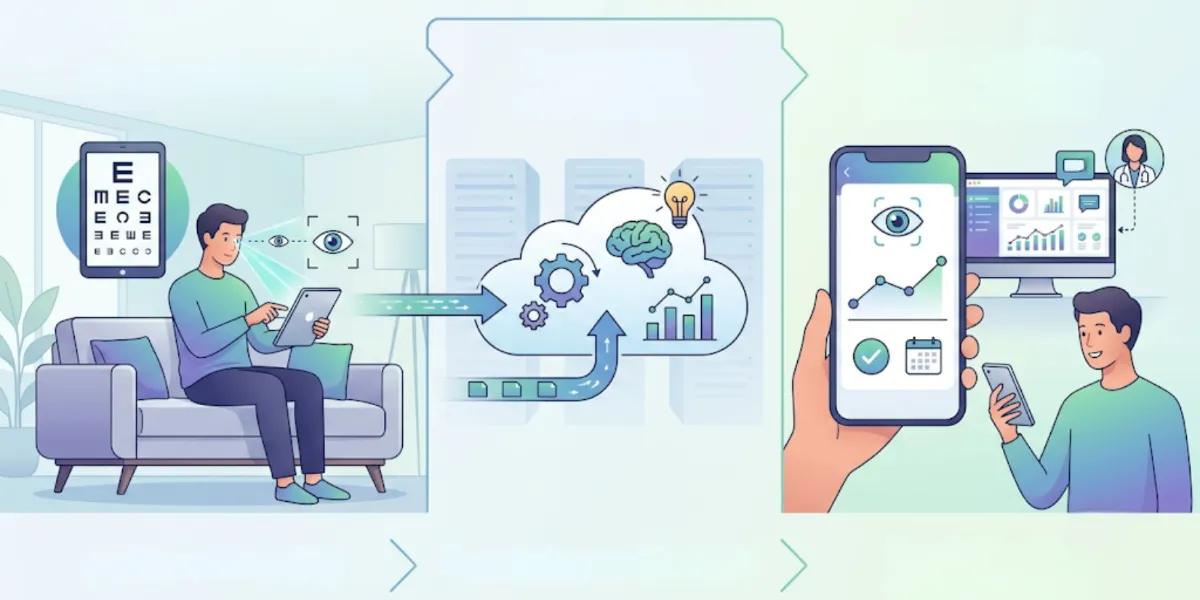
Screen time fills a large part of most days, and many people like to keep a periodic record of how their eyes are doing between full clinical visits. Spect-IT is a digital platform built for that kind of self-directed screening. It runs on a phone or computer, walks you through a set of vision tests, and keeps the results in one place so you can follow them over time.
This article describes how Spect-IT is put together and what its screening covers. The aim is a plain account of the platform, so you can judge whether it suits the way you already think about routine eye checks. Screening of this kind gives a preliminary reading rather than a diagnosis, and Spect-IT is designed with that role in mind.
Screening of this kind gives a preliminary reading rather than a diagnosis, and Spect-IT is designed with that role in mind.
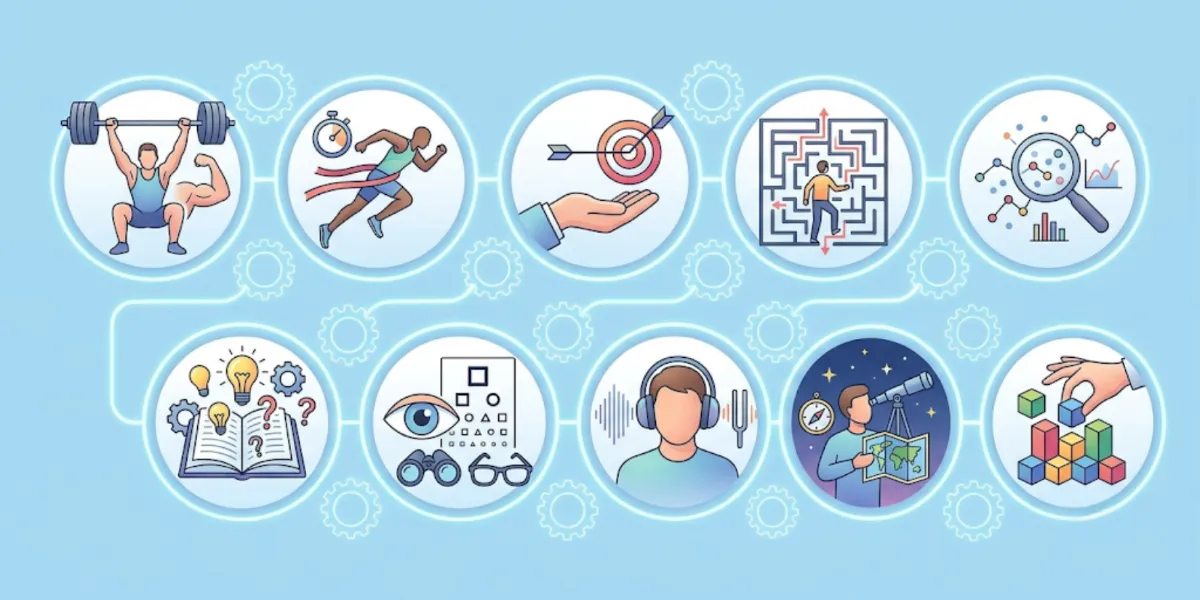
What the Ten Tests Measure
Spect-IT groups its screening into ten specialized tests, each looking at a different aspect of how you see. Rather than a single pass or fail, the set builds a fuller picture across several dimensions of vision. Refractive screening looks at how clearly you focus at a given distance. Astigmatism checks review how evenly the eye brings an image into focus. Depth perception tests examine how well your eyes work together to judge distance.
Visual field screening maps how much you can see across your range of view without moving your eyes. Macular health checks focus on central vision, the part you rely on for detailed tasks like reading. Taken together, these readings cover the areas people most often notice in daily life, from clarity at a distance to comfort during close work.
How the Platform Supports Accuracy
Screening from home only holds value if the readings stay consistent, so Spect-IT uses AI and face-mapping features to steady the process. Face mapping helps the app gauge the position and distance of your face relative to the screen, which matters because many vision tests depend on a known viewing distance. If that distance drifts, the results can shift with it.
The AI element helps guide each test and interpret responses within the intended conditions. The practical effect is a more repeatable setup: when you run a test again next month, the platform is working from comparable starting points rather than a rough guess. That consistency is what makes tracking over time meaningful.
Following Your Readings Across Time
A single screening is a snapshot. Spect-IT is built so that snapshots add up into a record you can review. Each completed test feeds into clear analytics, and the platform keeps a history of past sessions alongside the newest ones. This historical view is where a lot of the platform's usefulness sits.
Seeing several readings lined up makes it easier to notice whether a measure has stayed steady or moved, and it gives you a concrete reference point instead of relying on memory. When you decide it is time for a full clinical exam, that record travels with you as context an eye care professional can look over.
Data Handling and Your Control Over Results
Health-related screening involves personal information, so Spect-IT treats data handling as part of the design rather than an afterthought. Screening data is processed securely, and the results stay under your control. You decide what happens next with a set of readings.
You can keep them within the app for your own tracking, export them, or share them directly with an eye care professional when a comprehensive clinical exam is the right step. Nothing about the platform pushes you toward a particular action: it holds the information and leaves the choice of how to use it with you.
Nothing about the platform pushes you toward a particular action: it holds the information and leaves the choice of how to use it with you.
Connecting With Local Eye Care Specialists
Spect-IT positions itself as a screening companion, not a replacement for an in-person exam, and its built-in directory reflects that. When you want a professional assessment, the directory helps you locate eye care specialists in your area for a full clinical consultation.
This connects the two stages in a straightforward way. The at-home screening gives you an initial reading and a record over time, and the directory offers a route to a qualified professional when a detailed examination is called for. The platform sits between those points, gathering the preliminary information and pointing you toward local expertise when you choose to pursue it.
Practical Tips for Getting the Most From Screening
- Run the ten tests periodically rather than once, so you build a record instead of a single snapshot.
- Keep your face positioned as the app's face-mapping guidance suggests, since viewing distance affects test accuracy.
- Check your result history and analytics regularly to notice whether a measure has stayed steady or shifted.
- Decide in advance whether you want to keep, export, or share each set of readings with an eye care professional.
- Use the specialist directory when a reading, or simply routine timing, points you toward a full clinical exam.
- Remember that a screening is a preliminary reading, not a diagnosis, whatever the results show.
Getting Started With Spect-IT
If a digital screening tool with clear analytics, result history, and a path to local specialists matches how you like to keep track of your eyes, you can look at Spect-IT directly. Take a closer look at how the ten tests, face-mapping accuracy, and historical tracking fit into your routine.
Whichever approach you settle on, the underlying principle stays the same: a periodic, preliminary reading is useful precisely because it is not a diagnosis, and it works best alongside, not instead of, a full clinical exam when one is due.